Melarka

Your family's own Spotify, on your own server.

给全家用的音乐 App,完美替代 Spotify。

Melarka is a self-hosted music server. Songs come from YouTube or your own music folders; everyone at home gets their own favorites, playlists, radio and synced lyrics, with native iPhone and Android apps. Free and open source.

Melarka 是装在自己家里的音乐服务器。歌来自 YouTube 或你自己的本地音乐;全家每人一个账号,各自的收藏、歌单、私人电台和同步歌词,iPhone、安卓都有原生 App。开源免费。

Runs as one Docker container on any Linux machine or NAS. Your files are never modified.
一个 Docker 容器,装在任何 Linux 电脑或 NAS 上。不会改动你的音乐文件。
A one-minute tour (demo songs) · on YouTube
一分钟介绍(演示用的虚构歌曲)

Why I built it

为什么做这个

I wanted Spotify-style listening for my family, on music we keep ourselves and without a subscription. So I built Melarka, and I use it every day.

On the way to work, the phone connects to the car's Bluetooth and my favorites start playing by themselves, with the lyric line on the car's screen. On walks, the favorites are already on the phone, so no signal is no problem. At home, everyone has their own account, and a song one of us adds is there for the whole family.

It has improved a lot from daily use. Try it, and tell me what you'd change.

我想让全家像用 Spotify 一样听歌,但听的是我们自己的音乐,也不用交会员费。于是做了 Melarka,现在每天都在用。

上下班开车,手机一连上车载蓝牙,收藏的歌自动开始放,车机屏幕上显示歌词。出去散步,收藏的歌早就缓存在手机里,没信号也照样听。在家里,每人一个账号,谁下载的好歌,全家都能听到。

天天用,一直在改进,好用得很。欢迎试用,提提意见。
Everything a family listens with

全家听歌需要的,都有

🎧

YouTube or your own files

YouTube 或本地音乐

Search YouTube and download a song or a whole playlist, or point Melarka at the music folders you already have.

在 YouTube 上搜索,下载单曲或整个歌单;或者直接用你已有的本地音乐文件夹。

🚗

Plays when the car connects

连上车载蓝牙自动播放

Your favorites start by themselves over Bluetooth, with the current lyric line on the car display.

手机连上车里的蓝牙,收藏的歌自动开始放,车机屏幕上显示当前这句歌词。

🚶

Offline favorites

离线缓存

Favorites are cached on the phone (on Wi-Fi, with a size limit you pick), so they keep playing in tunnels and dead zones.

收藏的歌在 Wi-Fi 下缓存到手机(大小上限你来定),隧道里、没信号也能接着听。

👨‍👩‍👧

One account per person

全家每人一个账号

Everyone gets their own favorites, playlists, personal radio and nightly "For you" picks.

每个人有自己的收藏、歌单、私人电台,每晚还有「为你推荐」。

🎤

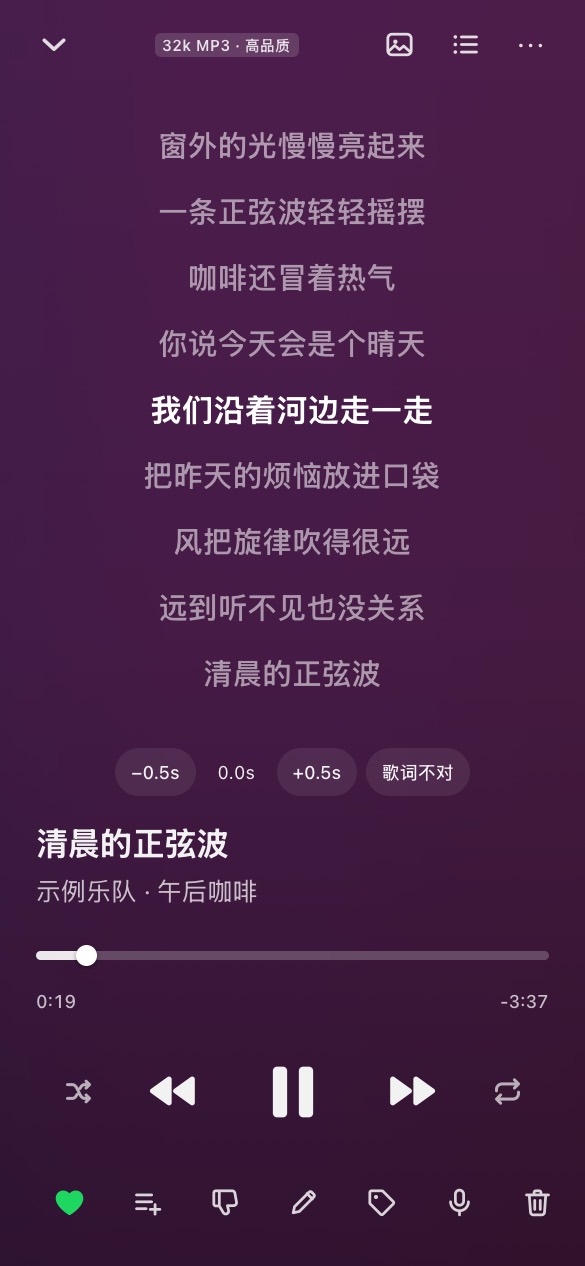
Synced lyrics

逐行同步歌词

From the file, a .lrc next to it, or online. Lyrics running early or late? Anyone can shift them with a tap.

来自文件本身、旁边的 .lrc 或在线歌词。唱早了唱晚了?谁都能点一下就对齐。

📺

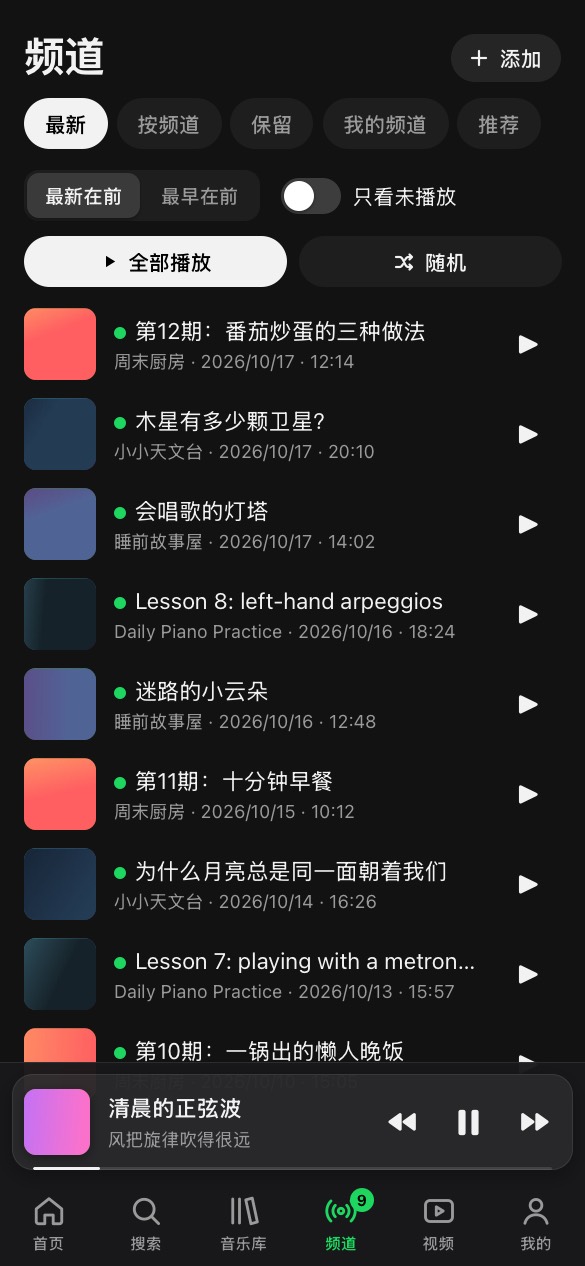
Follow YouTube channels

关注 YouTube 频道

No account needed. New episodes download by themselves and play with resume and speed control.

不需要账号。新节目自动下载,可以断点续听、调倍速。

📱

Native iPhone and Android apps

iPhone、安卓原生 App

Background play with lock-screen and car controls, gapless transitions, a sleep timer. Plus a web app for any browser.

后台播放、锁屏和车机控制、无缝衔接、睡眠定时。任何浏览器也能直接用网页版。

🔒

Your music stays yours

音乐留在自己家里

Runs on your machine. Melarka never rewrites your files or tags; names and lyrics you fix live in its own database.

跑在你自己的机器上。Melarka 从不改动你的文件和标签,改过的歌名、歌词存在它自己的数据库里。

🌐

Four languages

四种界面语言

English, 简体中文, 繁體中文 and svenska, chosen per person. Music metadata is never translated.

English、简体中文、繁體中文、svenska,每人自己选。歌曲信息不会被翻译。

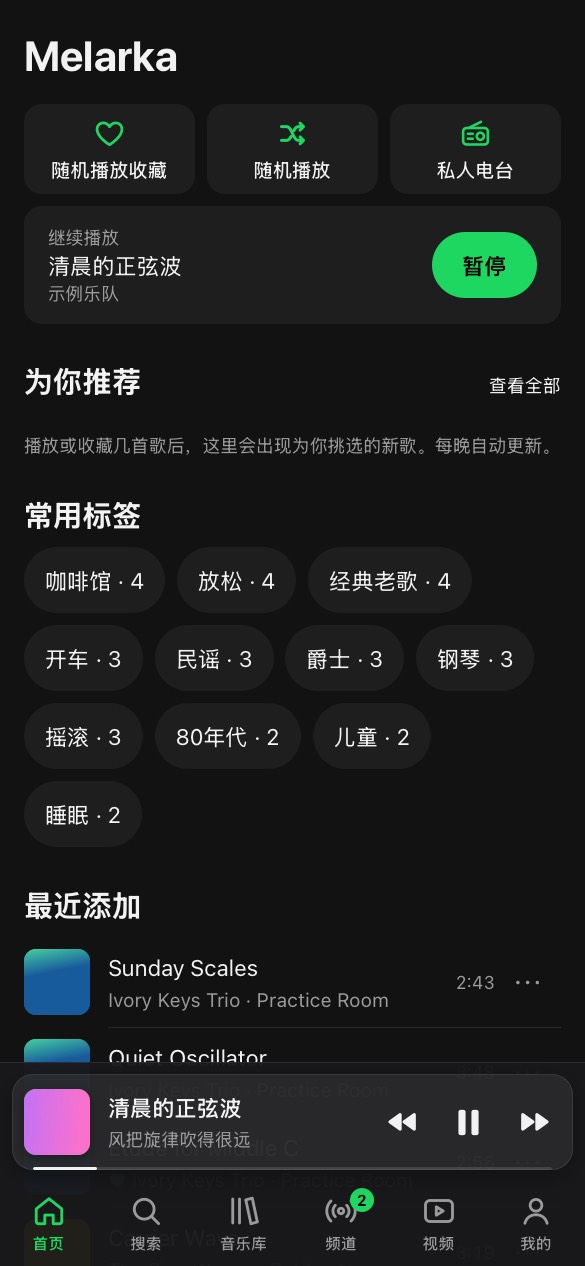
See it

看看界面

Real screens with made-up demo songs.

真实界面,歌曲是演示用的虚构数据。

Home
Home首页
Now Playing with synced lyrics
Synced lyrics同步歌词
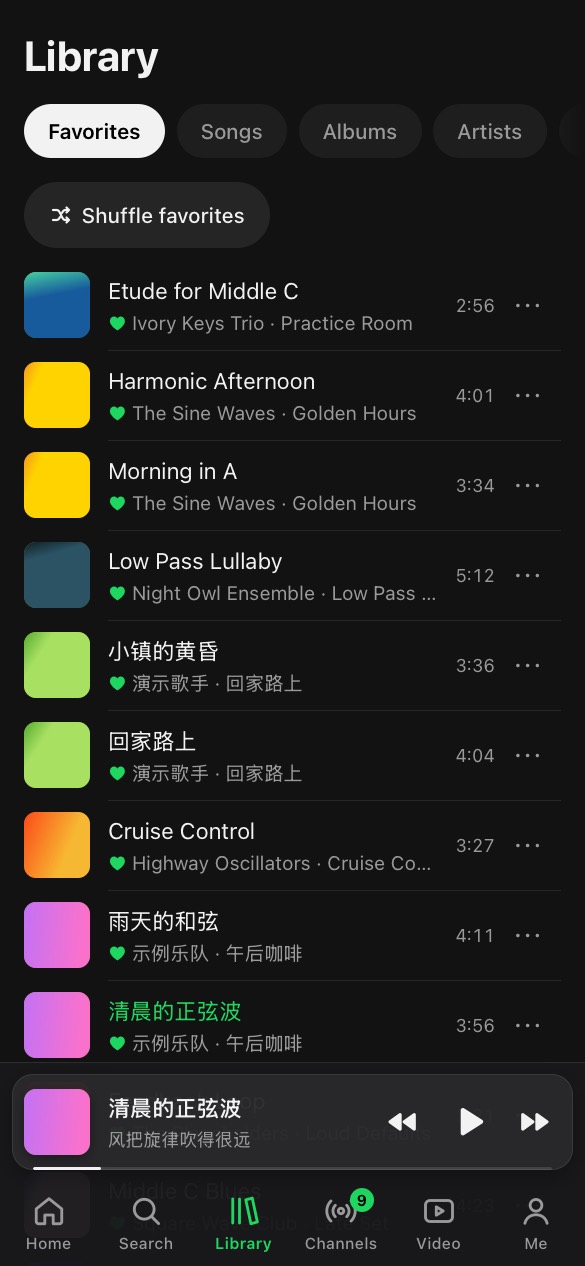
Favorites
Favorites收藏
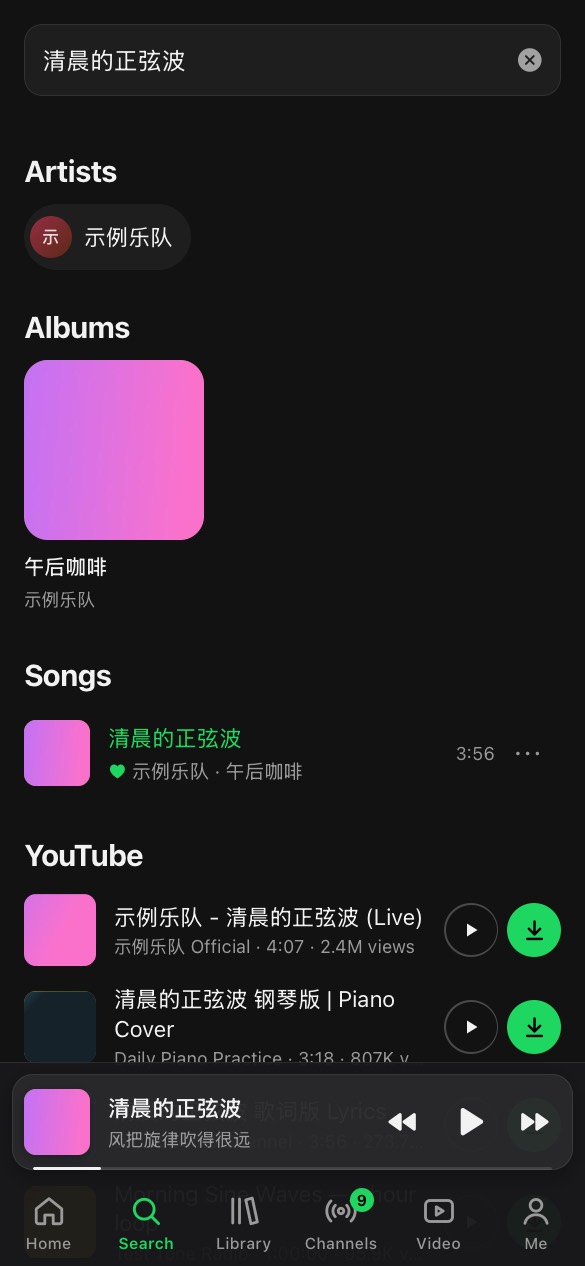
Search the library and YouTube
Search + YouTube搜索 + YouTube
Followed channels
Channels频道
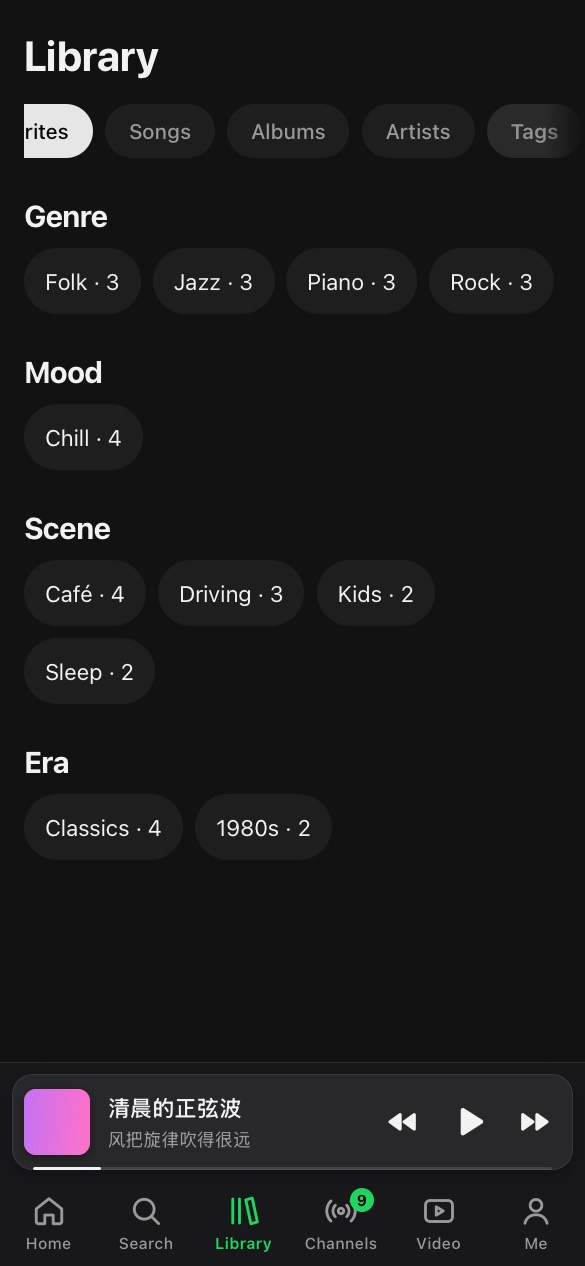
Tags
Tags标签
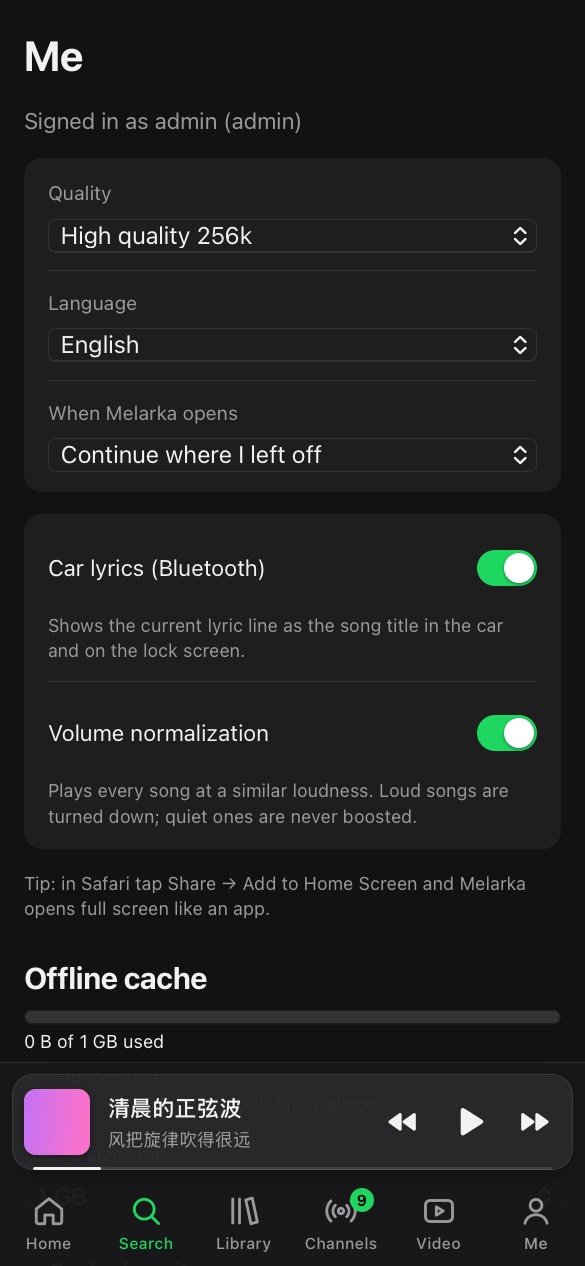
Settings
Settings设置
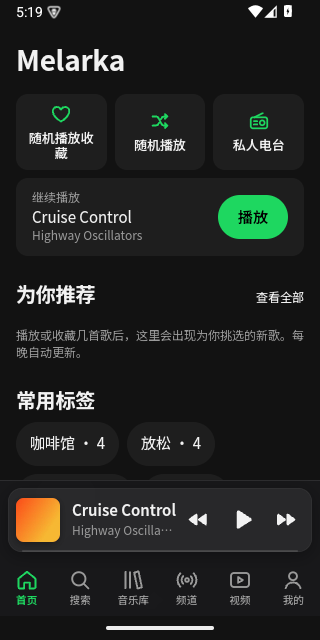
The Android app
Android app安卓 App
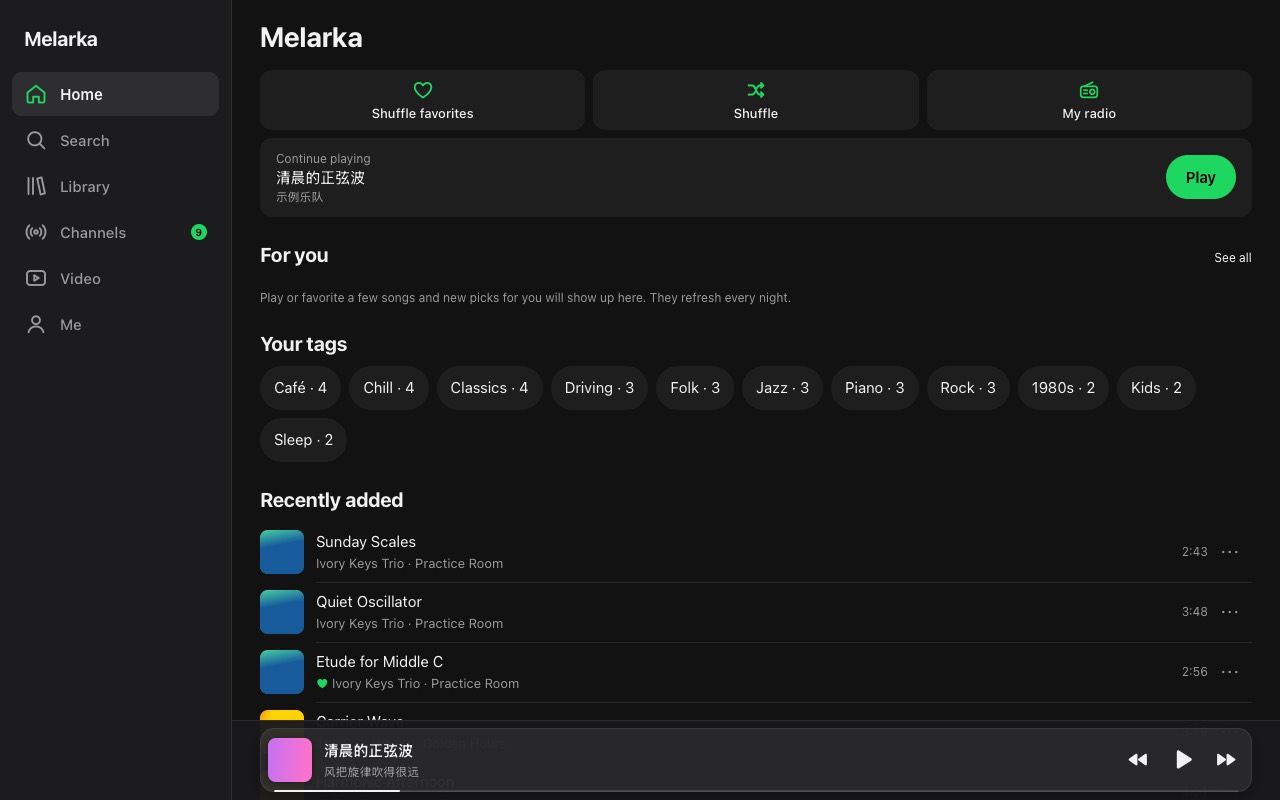
Melarka in a desktop browser

Install in one command

一条命令安装

On a Linux machine (or NAS) with Docker. Put your music folder at the end, or leave it out and add songs later:

在装了 Docker 的 Linux 电脑或 NAS 上运行。命令最后加上你的音乐文件夹路径;不加也行,之后再放歌:

curl -fsSL https://raw.githubusercontent.com/aaronsuns/melarka/main/deploy/install.sh | sh -s -- /path/to/your/music
  1. Open the address it prints and sign in as admin with the password it prints.
  2. Add your family under Admin → Users.
  3. For phones, put HTTPS in front of it, then install the apps.
  1. 打开它显示的地址,用 admin 和它显示的密码登录。
  2. 在 管理 → 用户 里给家人建账号。
  3. 手机上用之前,先给它配好 HTTPS,再装 App。

iPhone

Installed with SideStore and your own (free) Apple ID; each release publishes the app for it. Guide

用 SideStore 和你自己的(免费)Apple ID 安装,每次发布都会更新。安装说明

Android

A signed APK on every release. Latest release · Guide

每次发布都有签名的 APK。最新版本 · 安装说明

Any browser

任何浏览器

The web app installs to the home screen and runs full screen, with lock-screen controls and an offline cache.

网页版可以添加到主屏幕,全屏运行,也支持锁屏控制和离线缓存。

Step by step, configuration and upgrades: README and docs/install.md. Installing with an AI coding agent? Point it at AGENTS.md.

分步说明、配置和升级见 README 和 docs/install.md。用 AI 编程助手安装?让它读 AGENTS.md。

Questions

常见问题

Is it free?

Yes, free and open source. You run it on your own machine; there is no account with us and nothing to pay.

要钱吗?

不要,开源免费。装在你自己的机器上,不需要在我们这里注册,也没有任何收费。

What do I need?

A Linux machine or NAS with Docker that stays on, and, for phones, an HTTPS address for it (a reverse proxy; the README shows how).

需要什么?

一台一直开着、装了 Docker 的 Linux 电脑或 NAS;手机上用还需要给它配一个 HTTPS 地址(反向代理,README 里有步骤)。

Why isn't the iPhone app in the App Store?

It is a personal open-source project. SideStore signs it on your phone with your own Apple ID; a free one is enough.

iPhone App 为什么不在 App Store?

这是个人开源项目。SideStore 用你自己的 Apple ID 在手机上签名安装,免费的 Apple ID 就够了。

Does it change my music files?

Never. It only reads them. Titles, tags and lyrics you edit are stored in Melarka's own database.

会改我的音乐文件吗?

不会,只读取。你改的歌名、标签、歌词都存在 Melarka 自己的数据库里。

Like it? Tell me.

喜欢就告诉我

Ideas, bugs and questions are welcome on GitHub, and a star helps other families find it.

欢迎在 GitHub 上提意见、报 bug、提问;点个 Star,能让更多家庭看到它。

★ github.com/aaronsuns/melarka